Automatic record-keeping
No more spreadsheets: every sale, top-up and redemption is recorded automatically and documented for the tax office.
The gift card system is free, you only pay for the printing. Every card gets its own code, and you set the value only when you sell it. The system keeps the list of all gift cards automatically.



A print shop delivers nice cards. Then the work starts: numbering gift cards by hand, writing every sale into a list, ticking off redemptions and hunting down outstanding balances at the end of the year.
With gurado, every printed card is in the gift card system from day one. Sales, top-ups, redemptions and remaining balances are recorded automatically – complete and ready for the tax office.
The cards look the same. The difference is the system behind them.
What makes printed cards better with gurado.
No more spreadsheets: every sale, top-up and redemption is recorded automatically and documented for the tax office.
The gift card system and the gift card shop in free mode cost nothing. You only pay for the printed cards.
The value is set only when the card is sold. You don't need separate cards for 25, 50 or 100 euros.
To match how you work: a QR code for the app, a barcode for the POS scanner, plain text for typing in.
Every code is unique and is checked on redemption. Any remaining balance stays valid on the card.
Alongside the printed cards you also sell gift cards in your online gift card shop – all in one system.
Our standard formats – shown with real gift cards from our customers:

The classic gift card format, fits any standard envelope.

With an inside page for a personal message – ideal as a gift.
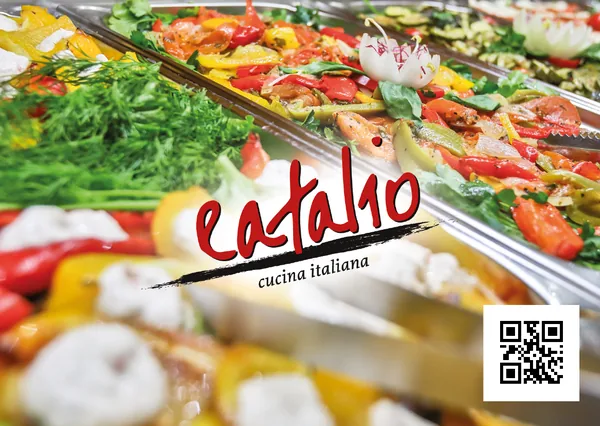
Compact and eye-catching, great for the counter and checkout area.
You load the value when you sell the card, in the way that suits your business:
Scan the QR code, enter the amount, done. Free for iOS and Android. More about the gift card app
No installation, on the computer at the counter or front desk: type in the code and load the card.
Scan the barcode and load and redeem the card at the till – through the ready-made POS integrations. See the integrations
Whether at the hotel front desk, the restaurant till, in the spa or at the entrance: printed cards sell best in person.
Answers on costs, formats, codes and POS integration.
Nothing. The gurado gift card system is free, including the gift card shop in free mode. You only pay for printing your gift cards. You see the prices when you order in the dashboard.
The standard formats are DL, DL folded card and postcard. You choose the design and artwork yourself.
No. Every card gets its own code. You set the value only when you sell the card, in the gurado app or at the POS. So you print one stock of cards and sell any amount.
As a QR code, a barcode or plain text. The gurado app scans the QR code, the scanner at the POS reads the barcode, and the plain-text code can always be typed in.
Many POS systems have ready-made integrations. Then you load and redeem cards right at the till. Without an integration you use the free gurado app or the web app in your browser.
No. Sales, top-ups, redemptions and remaining balances are recorded automatically. The system keeps the list for you, complete and ready for the tax office.
On request we import your existing gift cards from your list. Then old and new gift cards run in one system.
Right in the gurado dashboard. Sign up for free, choose the format and artwork and place your order.
What else the gift card system behind your cards can do.
Gift cards, discounts, loyalty programs and tickets – all managed in one place.